×
![]()
and it's the computer's fault.
It's summer time and it's always hot here anyways but it's especially hot lately so I've been trying a few things to cool down my room a bit. A couple months ago I put a box fan in my window and 3d printed a little bracket that slots into the window frame to keep it from falling out. That was definitely one of the best 3d prints I've ever designed because I went from barely using the fan and always needing to watch it incase it fell to using it all the time.
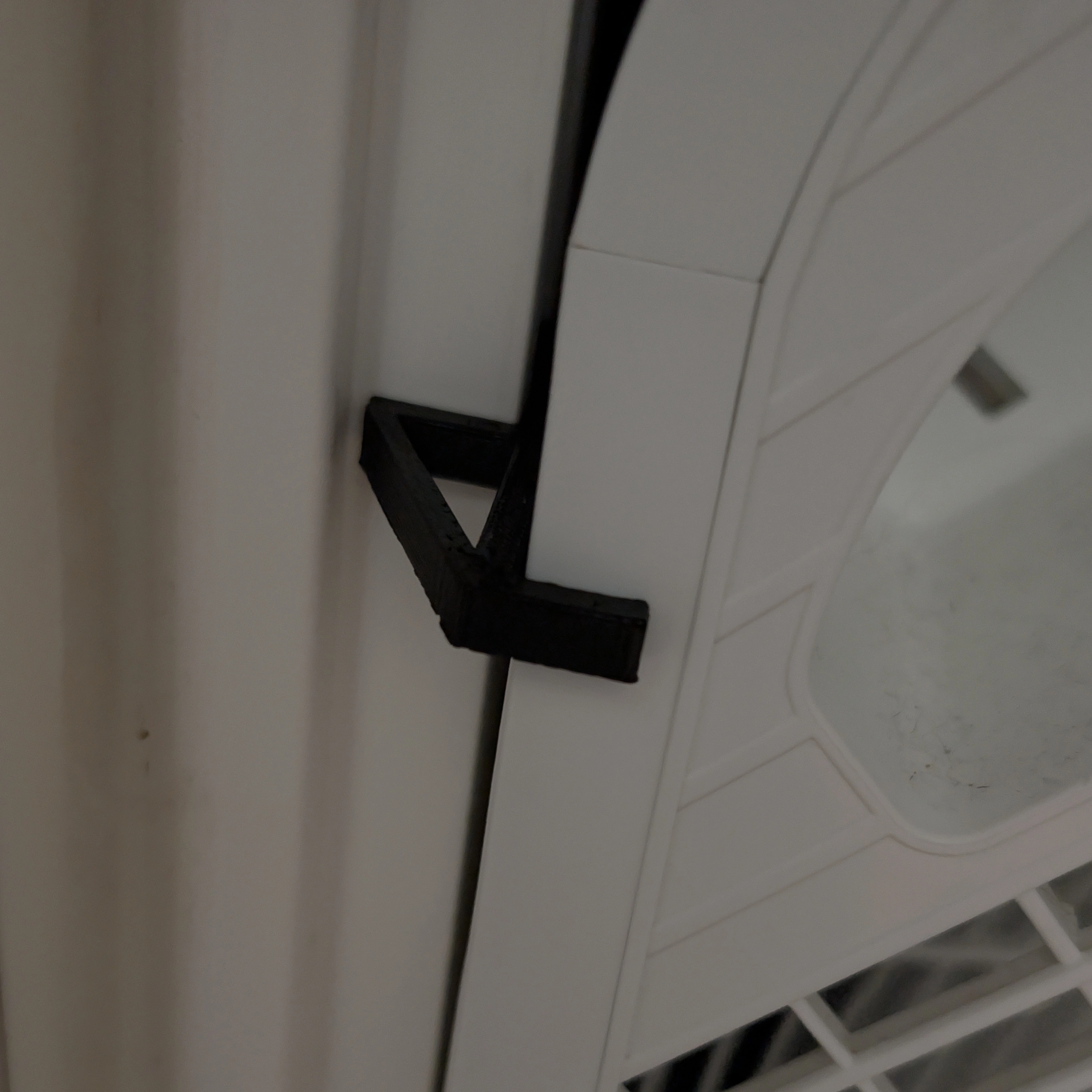
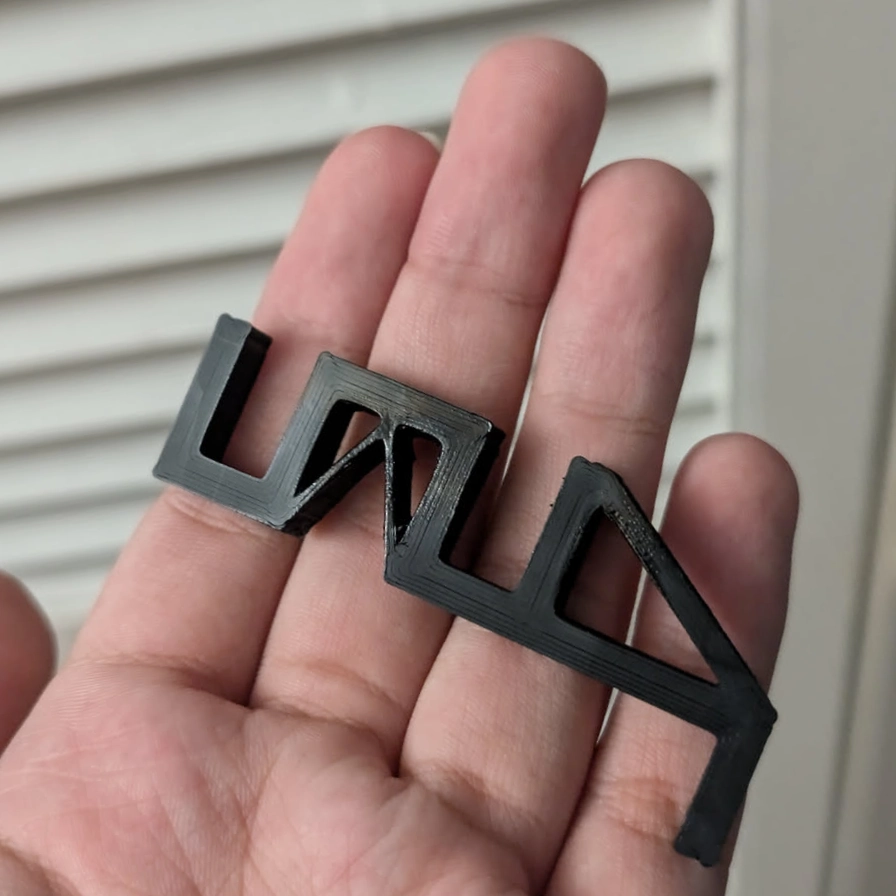
And that helped a lot, but without it, my room's still too hot and it's kind of loud and I would like to fully close my curtains sometimes. But I've just lived with it.
But while I was working today, I noticed a really hot pocket of air and it was really annoying me. I tried moving fans around, opening and closing different windows, but nothing helped. And like, yeah, of course nothing helped it's a constant source of a lot of heat in the corner of the room with the least airflow. Due to an unfortunate home layout and my kind of stupid networking setup I am forced to keep my server, a couple mac minis, and my desktop pc all together in the same corner of my room with no option to relocate, so my only real solution to get them to not be so hot is to reduce their power usage.
And as it turns out there was actually a lot of room to do that because I was being very dumb, but also my gpu is kinda dumb too or maybe i'm just extra dumb and it's smart. But starting with my server, I went into the bios to undervolt the cpu & disabled the cpu clock speed boosting. In unraid, I also changed the performance governor from performance to balance power so it will still speed up if it needs to but not too much and not for too long. So far I haven't noticed any real performance difference so I think I will leave it like that.
On my desktop, I also set up the same cpu performance governor. For the GPU, I already had been undervolting it a bit, but I had set the power profile to 'VR' mode which is like very aggressive and completely overkill 99% of the time, so I tried switching it to auto, and it was still using the same amount of power at idle. However, putting the gpu into lowest clocks mode, undervolting, and setting a negative clock speed offset, I was able to get the power usage down to 15-20 watts at idle from 40-50.
And that still runs great for regular desktop use, so I'm not sure why it wasn't doing at least some of that, or even getting close in auto, but I don't want to manually change power profile every time I play a game or need to use the gpu more. Thankfully, LACT, the program I have been using to set all these settings on my gpu, has this cool feature that automatically switches between different profiles when certain processes that you set are running, so I have a very simple setup in the app that does that.
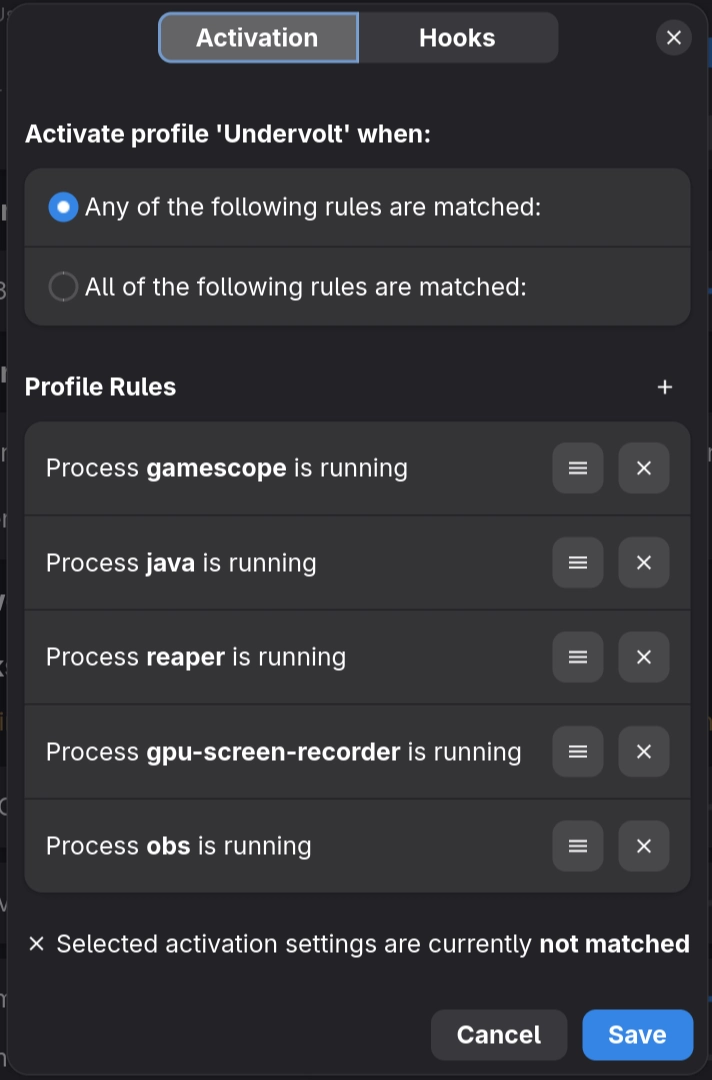
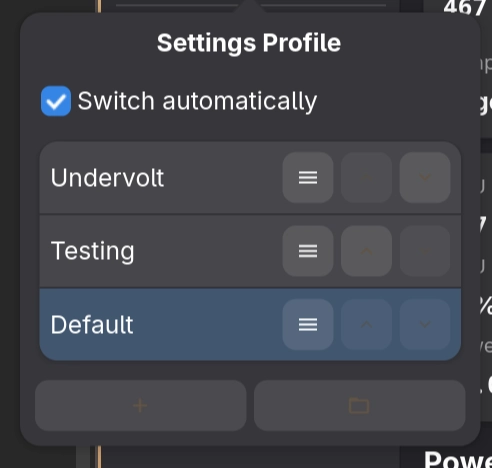
I set the performance mode (called undervolt) to activate when those processes in the image are running.
Almost all of my non-steam games I run inside gamescope, java is for Minecraft, and reaper is a process
that-
Honestly I'm not sure what it does BUT it only runs when a steam game is launched so I can have
the
gpu go into the performance mode when a game from steam is running without setting it for steam itself.
But what if I want to use the performance mode for something that's not one of those apps? Well LACT is pretty scriptable and I was able to add a little gpu icon in waybar that lets me to click to lock the power mode, click again to toggle to the other one, right click to turn automatic switching back on.



and all that seems to have worked really well ! I am, probably for the first time since I upgraded my gpu, feeling close to room temperature air come out of my pc and server while they're idling! I have no idea why I didn't do this before, I guess I had just accepted my fate of melting all the time.